Why AI Rendering Is Changing Architectural Visualisation
Traditional rendering tools like Enscape, Twinmotion, and Lumion have long been the go-to options for Archicad users who want polished visualisations. They produce excellent results — but they require dedicated GPU hardware, significant setup time, and often a separate application or file export step.
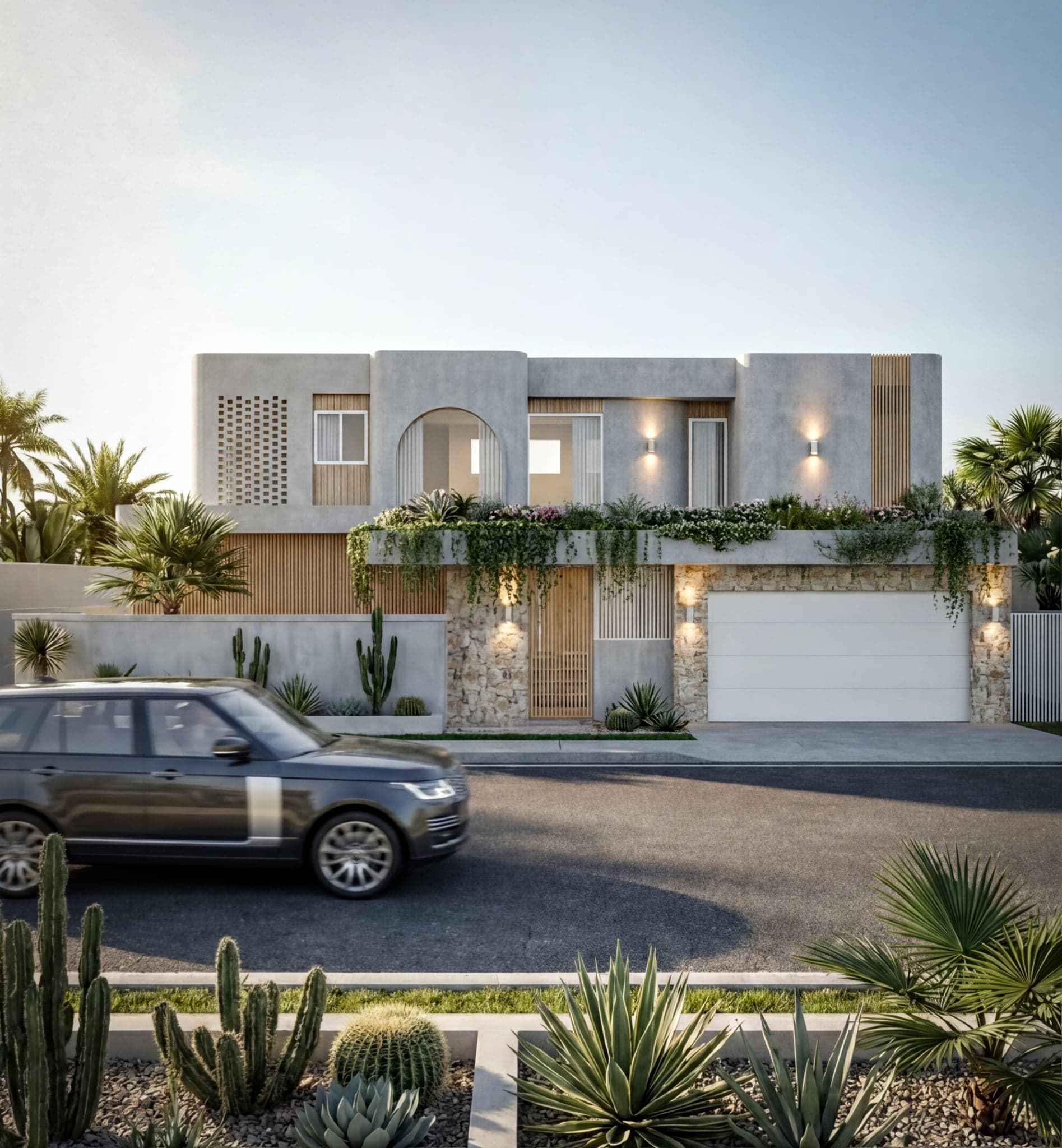
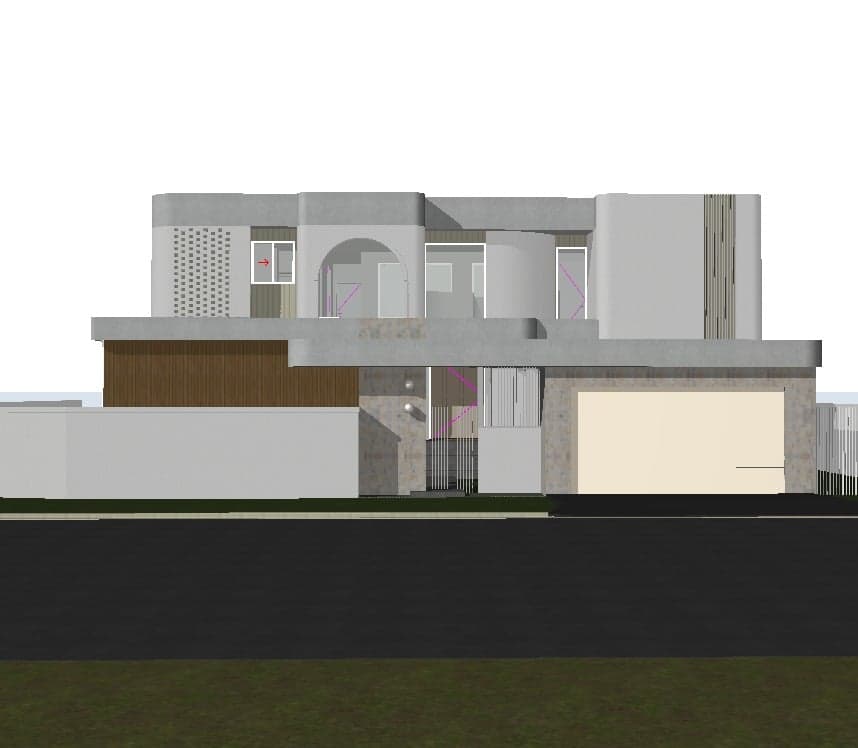
AI rendering takes a different approach. Instead of simulating light physics in real time, AI image models interpret 3D geometry and generate photorealistic images based on that input. The result is a fundamentally faster workflow: from a 3D view inside Archicad to a client-ready image in seconds, not hours.
For solo practitioners and small-to-medium firms under time pressure, that difference is significant.
The Best AI Rendering Tools for Archicad in 2026
1. Linespire Reflect
Linespire Reflect is a native Archicad addon that captures 3D views directly from within Archicad and sends them through a generative AI pipeline to produce photorealistic renders. It is the only Archicad-specific tool powered by Google Gemini 3 Pro (image-preview) and Imagen 4 upscaling — not Stable Diffusion.
The workflow is entirely contained within Archicad: no file exports, no app-switching, no GPU hardware required. Users can iterate on materials, lighting, and style in seconds — switching from timber cladding to brick, or from midday sun to a golden hour exterior, without leaving the software.
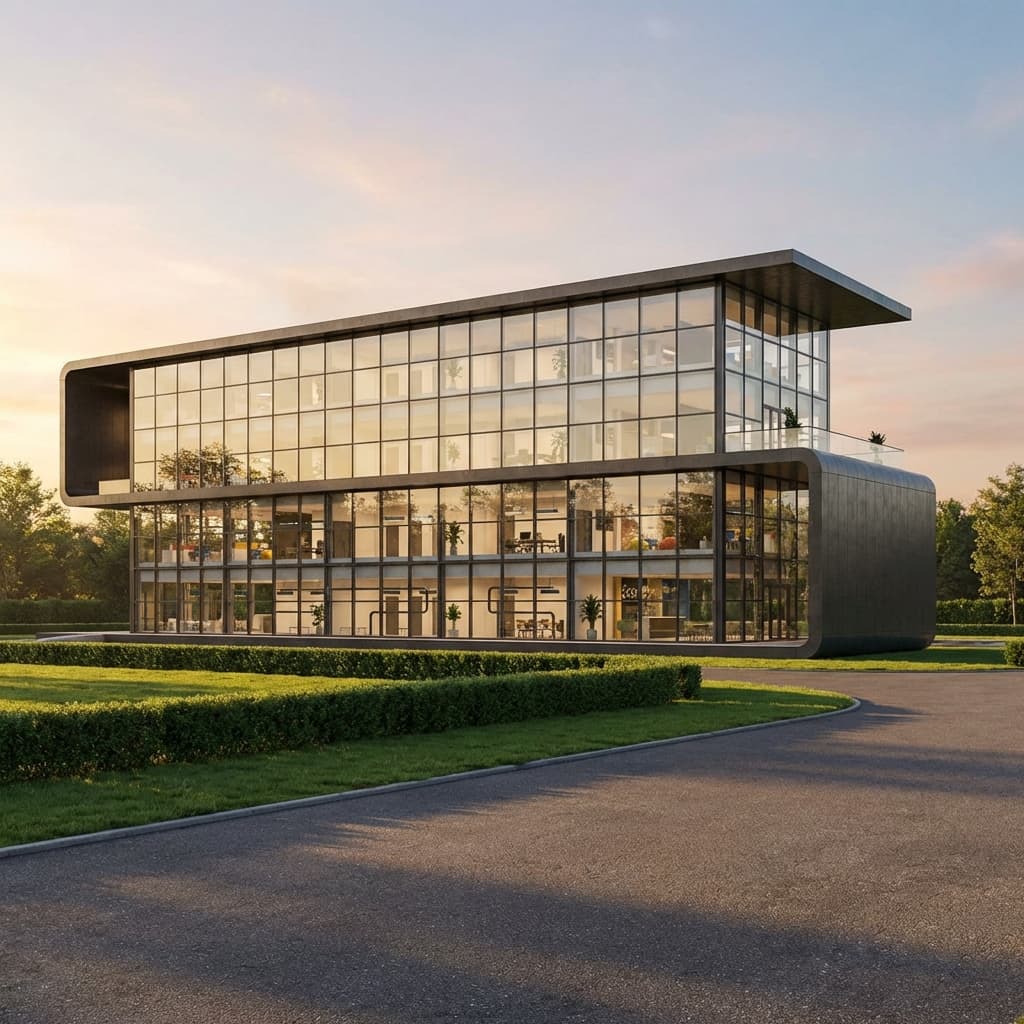
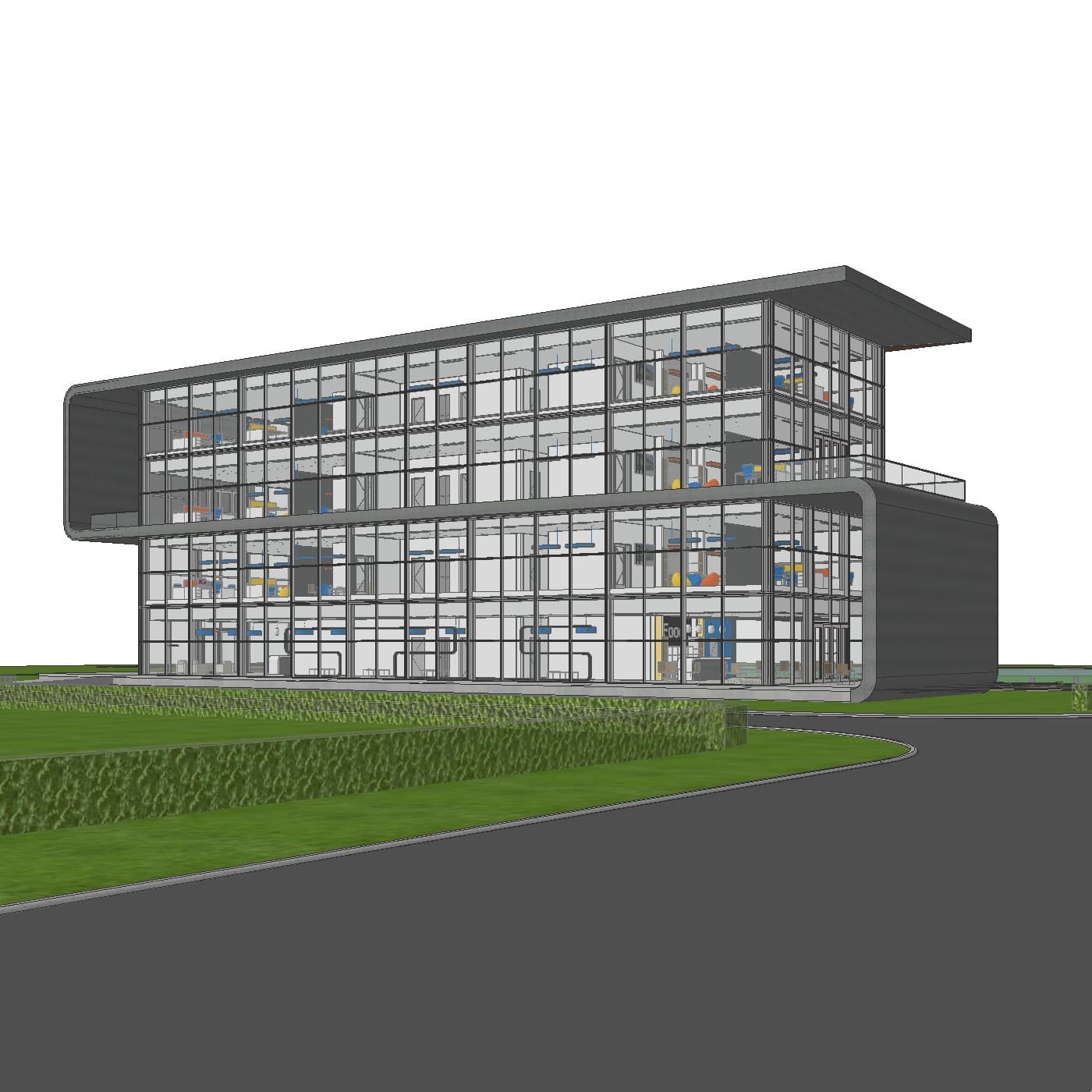
Key strengths: Native Archicad integration, geometry-accurate AI output, Google Gemini 3 Pro model, works on both Windows and Mac, no GPU required.
Limitation: AI generations have inherent variability — consistency across multiple views of the same building takes intentional effort. Uploading a reference image helps significantly.
Pricing: Free trial (5 credits, no credit card required). Pro plan from $29/month (100 credits). Studio at $79/month (400 credits). Enterprise at $199/month (1,200 credits).
Best for: Archicad users who want fast, geometry-accurate renders without leaving the software or investing in GPU hardware.
2. Veras (by EvolveLAB)
Veras is an AI visualisation plugin that supports multiple platforms including Archicad, Revit, SketchUp, and Rhino. It uses Stable Diffusion-based models and includes a geometry slider that lets users control how closely the output follows the original model.
For Archicad users specifically, Veras currently supports Archicad 28 only, and it is bundled as part of the Enscape Premium suite — meaning access comes with the cost of an Enscape subscription rather than as a standalone tool.
Key strengths: Geometry slider gives fine control over AI interpretation. Multi-platform support if the firm uses other CAD tools.
Limitation: Archicad 28 only. Requires Enscape Premium subscription. Uses Stable Diffusion-based models. Multi-platform focus means it is not specifically optimised for Archicad workflows.
Best for: Firms already on an Enscape Premium subscription who want to explore AI visualisation as an add-on feature.
3. Archicad's Built-In AI Visualiser
Archicad 28 introduced a native AI Visualiser as part of the Studio/Collaborate subscription — it is not available to users on a perpetual licence. It is the most accessible entry point for AI rendering within Archicad — no plugin installation required — but it comes with a widely-noted limitation: geometry distortion.
The built-in visualiser is powered by Stable Diffusion and is known within the Archicad community for altering building forms, particularly on complex facades and rooflines. For quick concept exploration it may be sufficient, but for client-ready exterior visualisations where accuracy matters, the results are unreliable.
Key strengths: Already built into Archicad 28. No additional installation required.
Limitation: Geometry distortion is a significant and well-documented issue. Requires a Collaborate subscription. Archicad 28 only.
Best for: Early-stage concept exploration where architectural accuracy is less critical.
4. MyArchitectAI
MyArchitectAI is a browser-based AI rendering tool that works with any CAD software via image upload — including Archicad, Revit, SketchUp, and others. It positions itself as a lightweight alternative to Enscape and Lumion, focusing on geometry preservation.
The key trade-off is workflow friction. Unlike native plugins, MyArchitectAI requires users to export an image from Archicad, upload it to the web app, and retrieve the result. There is no direct integration with the Archicad environment.
Key strengths: Works with any CAD software. No plugin installation needed. Geometry-preserving approach.
Limitation: No native Archicad integration. Requires file export and upload workflow. Web-based, not embedded in the design environment.
Best for: Users who work across multiple CAD platforms and want a single browser-based tool.
Traditional Rendering Alternatives: Still Worth Considering?
AI rendering tools are not the right fit for every use case. Traditional GPU-based renderers still offer advantages in certain scenarios — particularly for final presentation renders where granular material and lighting control matters.
Enscape
Enscape is a real-time rendering plugin for Archicad, Revit, SketchUp, and Rhino. It produces high-quality results and integrates directly with Archicad via a LiveSync workflow. At approximately $70/month, it is one of the more expensive options — and it requires a capable GPU and a learning investment to get the most from it.
Twinmotion
Twinmotion is a standalone real-time renderer with a LiveSync connection for Archicad. It offers a cinematic, polished output and is free under certain Unreal Engine licensing terms. The workflow requires exporting files from Archicad into Twinmotion, which adds a step compared to native plugin tools.
Lumion
Lumion is a premium standalone renderer used widely in architectural visualisation. It produces excellent results but comes with a significant cost ($790–$1,575/year) and high hardware requirements. For small practices or solo users, the investment is hard to justify compared to modern AI alternatives at a fraction of the price.
Quick Comparison: AI Rendering Tools for Archicad
| Tool | Archicad Native? | AI Model | GPU Required? | Starting Price |
|---|---|---|---|---|
| Linespire Reflect | Yes (all versions) | Google Gemini 3 Pro | No | Free (5 credits) |
| Veras (EvolveLAB) | Archicad 28 only | Stable Diffusion | No | Enscape Premium sub |
| Archicad AI Visualiser | Yes (AC28 only) | Stable Diffusion | No | Collaborate sub |
| MyArchitectAI | No (web upload) | Proprietary | No | Free tier available |
| Enscape | Yes (plugin) | N/A (real-time) | Yes | ~$575/year |
| Twinmotion | LiveSync only | N/A (real-time) | Yes | Free (Unreal license) |
| Lumion | No (standalone) | N/A (real-time) | Yes | $790+/year |
Which AI Rendering Tool Is Right for Archicad Users?
For fast, geometry-accurate renders inside Archicad: Linespire Reflect is the only native addon built specifically for Archicad that uses a modern Google image model. It covers the most common use case — exterior and interior renders for client presentations — without requiring any additional hardware or software.
For firms already on Enscape Premium: Veras is available as part of that subscription and worth exploring, particularly for users on Archicad 28.
For early-stage concept work only: Archicad's built-in AI Visualiser is accessible if already on a Studio/Collaborate subscription, though geometry distortion limits its usefulness for client-facing output.
For multi-platform firms: MyArchitectAI offers flexibility across CAD tools via a browser upload workflow, at the cost of deeper Archicad integration.
For polished final-presentation renders with full material control: Traditional tools like Enscape or Twinmotion remain strong choices, albeit slower and more hardware-intensive.
Frequently Asked Questions
What is the best AI rendering tool for Archicad?
For Archicad users specifically, Linespire Reflect offers the most integrated AI rendering experience — working natively inside Archicad, powered by Google Gemini 3 Pro, with no file export or GPU required. Veras is a secondary option for those already on Enscape Premium.
Does Archicad have a built-in AI renderer?
Yes — Archicad 28 includes a native AI Visualiser as part of the Studio/Collaborate subscription. It is based on Stable Diffusion and is noted for geometry distortion, which limits its use for accurate client-facing visualisations.
Can I render in Archicad without a GPU?
Yes. AI rendering tools like Linespire Reflect and Veras process images via cloud-based AI models, removing the need for local GPU hardware. Traditional renderers like Enscape and Twinmotion do require a capable GPU for real-time performance.
How much does AI rendering for Archicad cost?
Linespire Reflect starts free with 5 render credits and no credit card required. Paid plans start at $29/month for 100 credits. Veras requires an Enscape Premium subscription. Archicad's built-in AI Visualiser requires a Collaborate subscription.
What is a render credit?
In Linespire Reflect, one credit equals one AI image generation. Credits are consumed each time a render is produced and do not roll over from month to month. The free trial includes 5 credits to test the tool before committing to a paid plan.