Why Archicad Users Look for Twinmotion Alternatives
Twinmotion is a standalone application — it doesn't live inside Archicad. While Graphisoft's LiveSync connection reduces some friction, producing a render still requires exporting or syncing the model to Twinmotion, setting up the scene, adjusting lighting and materials, and rendering. That process takes time, and for projects where quick visualisation turnaround matters, it can become a bottleneck.
The most common reasons Archicad users look for alternatives include:
- Workflow interruption: the file export or sync step breaks the native Archicad workflow and adds time to each iteration
- Speed: producing a client-ready render in Twinmotion can take 30 minutes to several hours, depending on scene complexity and hardware
- Hardware requirements: Twinmotion is GPU-intensive; older machines or laptops without a discrete GPU struggle to run it effectively
- Learning curve: scene setup, lighting rigs, and material workflows require time to learn and maintain
- Licence changes: Twinmotion's free availability has historically been tied to specific requirements, and the conditions have shifted over time
Twinmotion Alternatives for Archicad Users
Enscape
Enscapeis a real-time rendering plugin that runs directly inside Archicad — no file export required. It's one of the most established rendering tools in the architecture industry, with a strong BIM workflow integration and a large user base.
The trade-offs are cost and hardware. Enscape costs approximately $575/year, requires a capable GPU to run smoothly, and has a meaningful learning curve around materials, lighting, and scene configuration. For firms already embedded in the Enscape ecosystem it works well, but as a Twinmotion replacement for users seeking a simpler workflow, it trades one set of complexities for another.
D5 Render
D5 Render is a GPU-accelerated standalone renderer with a LiveSync connection for Archicad, similar in concept to Twinmotion. It offers a large built-in asset library and produces high-quality cinematic renders. D5 has introduced some AI-assisted features, but it is not an AI-native rendering tool — it still requires scene setup and GPU hardware to perform well.
For users who want a Twinmotion-style workflow with a different interface and asset library, D5 is a reasonable lateral move. It doesn't resolve the core issues of hardware dependency and workflow interruption.
Lumion
Lumion is a premium standalone renderer widely used in architectural practice for polished final-presentation imagery. It produces excellent results but sits at the expensive end of the market — licences range from approximately $790 to $1,575 per year — and requires high-end GPU hardware. For small firms or solo practitioners, the cost and hardware barrier is difficult to justify for everyday visualisation work.
MyArchitectAI
MyArchitectAI is a browser-based AI rendering tool that accepts image uploads from any CAD software. It doesn't require a GPU, is positioned as a lightweight alternative to Enscape and Lumion, and produces AI-generated renders with reasonable geometry preservation. The limitation for Archicad users is the absence of native integration — the workflow involves exporting an image from Archicad and uploading it to a web interface, which reintroduces the friction that native tools eliminate.
Linespire Reflect
Linespire Reflect is a native Archicad addon — installed directly into Archicad as a .apx or .bundle file — that captures 3D views from within the software and processes them through an AI pipeline to produce photorealistic renders. There is no file export, no separate application to open, and no GPU required.
The AI is powered by Google Gemini 3 Pro with Imagen 4 upscaling — not a Stable Diffusion-based model. Renders are delivered in seconds at 1K or 4K resolution. An optional text prompt and reference image allow control over style, lighting, and atmosphere.
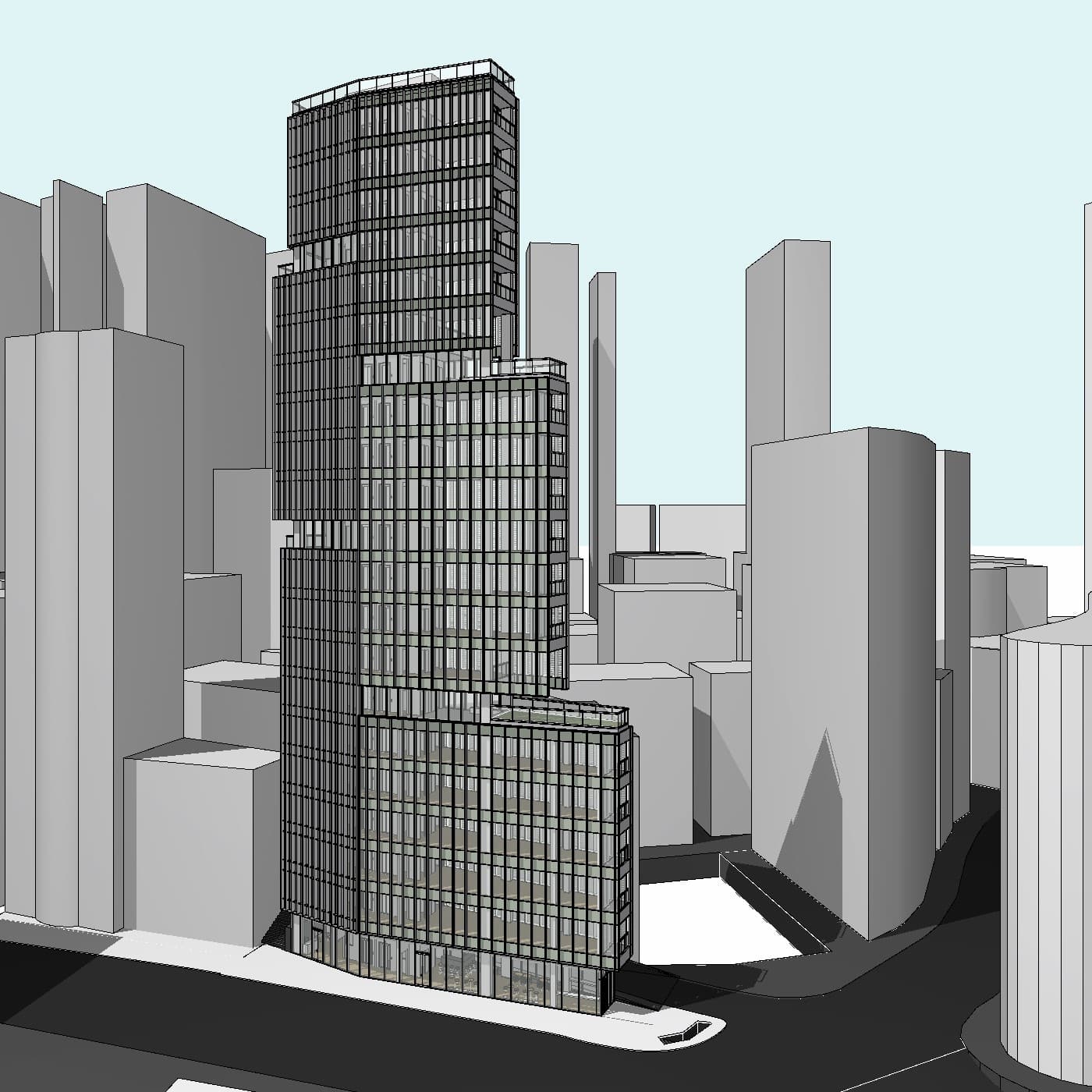
The core workflow difference versus Twinmotion is significant: where Twinmotion requires scene setup and a dedicated render pass, Linespire Reflect produces a photorealistic result directly from an existing Archicad 3D view in seconds. For exterior residential visualisations in particular, this changes what's practical during a live design process — renders become fast enough to iterate alongside the model rather than being produced at the end.

Twinmotion vs Linespire Reflect: The Key Differences
Workflow integration: Twinmotion requires a LiveSync connection or file export and operates as a separate application. Linespire Reflect is a native Archicad addon — the render process begins and ends inside Archicad.
Speed: Twinmotion scene setup and rendering can take anywhere from 30 minutes to several hours for a single polished image. Linespire Reflect delivers renders in seconds.
Hardware: Twinmotion is GPU-intensive and performs poorly on machines without a capable discrete GPU. Linespire Reflect renders in the cloud — no GPU required, runs on any Windows or Mac machine.
Learning curve: Twinmotion requires familiarity with scene composition, lighting, and material assignment. Linespire Reflect produces results from a 3D view with no scene setup — an optional text prompt and reference image provide style guidance.
Output control: Twinmotion offers more granular scene control — manual placement of assets, precise lighting rigs, and animated walkthroughs. Linespire Reflect produces still images and is not a scene-building tool. For final presentation renders requiring precise control, Twinmotion may still be the right choice.
Price: Twinmotion is free under certain conditions. Linespire Reflect starts free (5 credits, no credit card required) with paid plans from $29/month.
Consistency: Twinmotion produces deterministic results — the same scene rendered twice looks the same. AI renders have inherent variability; using a reference image in Linespire Reflect is the most effective way to maintain consistency across multiple views of the same building.
Which Tool Is Right for Your Workflow?
The honest answer depends on what the renders are for and how quickly they need to be produced.
Twinmotion remains a strong option for firms that need cinematic, fully-composed presentation renders — particularly for larger or more complex projects where asset placement, animated walkthroughs, or detailed lighting control justify the setup time. It suits firms with capable hardware and the bandwidth to invest in scene production.
Linespire Reflect is better suited to workflows where speed and integration matter more than granular scene control. For exterior and interior visualisations produced during the design process — client check-ins, design development presentations, early-stage concept approval — the ability to produce a photorealistic render in seconds from an existing Archicad view is a meaningful advantage. It works on any hardware, requires no learning curve beyond the addon panel itself, and supports all Archicad versions on paid plans.
Some firms use both: Linespire Reflect for fast iteration during design development, and a more controlled tool for final presentation renders. The two approaches serve different stages of a project rather than being mutually exclusive.
Frequently Asked Questions
Is Twinmotion still free for Archicad users?
Twinmotion's free availability for Archicad users has been tied to specific licence conditions that have changed over time. It's worth checking the current terms directly with Graphisoft or Epic Games, as the conditions vary by licence type and region.
Do Twinmotion alternatives require a GPU?
It depends on the tool. Enscape, D5 Render, and Lumion are all GPU-intensive. Linespire Reflect renders entirely in the cloud and requires no GPU hardware — it runs on any Windows or Mac machine that can run Archicad.
How does Linespire Reflect handle geometry accuracy?
Geometry accuracy is a core design principle of Linespire Reflect. The AI reads the perspective, structural lines, and form from the Archicad 3D view and is designed to respect them in the output — producing a photorealistic result that remains faithful to the model rather than reinterpreting it.
Can I use Linespire Reflect for interior renders as well as exterior?
Yes. While the primary use case is exterior residential visualisation, Linespire Reflect works with any 3D view captured from within Archicad, including interior perspectives.
Which Archicad versions does Linespire Reflect support?
Linespire Reflect supports all Archicad versions on the Pro plan and above, on both Windows and Mac. It is not restricted to a specific Archicad version, unlike some other rendering tools.