What Is Veras?
Veras is an AI visualisation plugin developed by EvolveLAB. It uses Stable Diffusion-based models to generate rendered images from within a range of design applications, including Revit, SketchUp, Rhino — and Archicad. It includes a "geometry slider" that allows users to control how closely the AI output adheres to the underlying model versus interpreting it more freely.
Veras is part of the Enscape Premium suite, which means accessing it requires an Enscape subscription. It supports Archicad 28 only — earlier versions are not compatible.
What Is Linespire Reflect?
Linespire Reflect is a native Archicad addon built exclusively for Archicad users. It captures 3D views directly from within Archicad and sends them through a generative AI pipeline to produce photorealistic renders — in seconds, without any file export or app-switching.
It is powered by Google Gemini 3 Pro (image-preview) for rendering and Imagen 4 for upscaling. Unlike most AI visualisation tools, it does not use Stable Diffusion. The output is a JPG at 1K or 4K resolution, delivered directly back into the Archicad workflow.
Head-to-Head Comparison
Archicad Compatibility
This is one of the most immediate differences. Veras supports Archicad 28 only. If you're on an earlier version — or if your firm hasn't yet upgraded — Veras is simply not an option.
Linespire Reflect supports all Archicad versions on the Pro plan and above, making it accessible to a much wider portion of the Archicad user base.
AI Model and Geometry Accuracy
Veras uses Stable Diffusion-based models with a geometry adherence slider — a useful control, but one that still places the burden on the user to manage how much the AI drifts from the actual building geometry.
Linespire Reflect is built around Google Gemini 3 Pro, a model selected specifically for its ability to read and respect architectural geometry. Geometry accuracy is a core design principle of the product, not an adjustable parameter. The AI is intended to produce outputs that faithfully reflect the building as modelled — a critical requirement for client-ready visualisations.
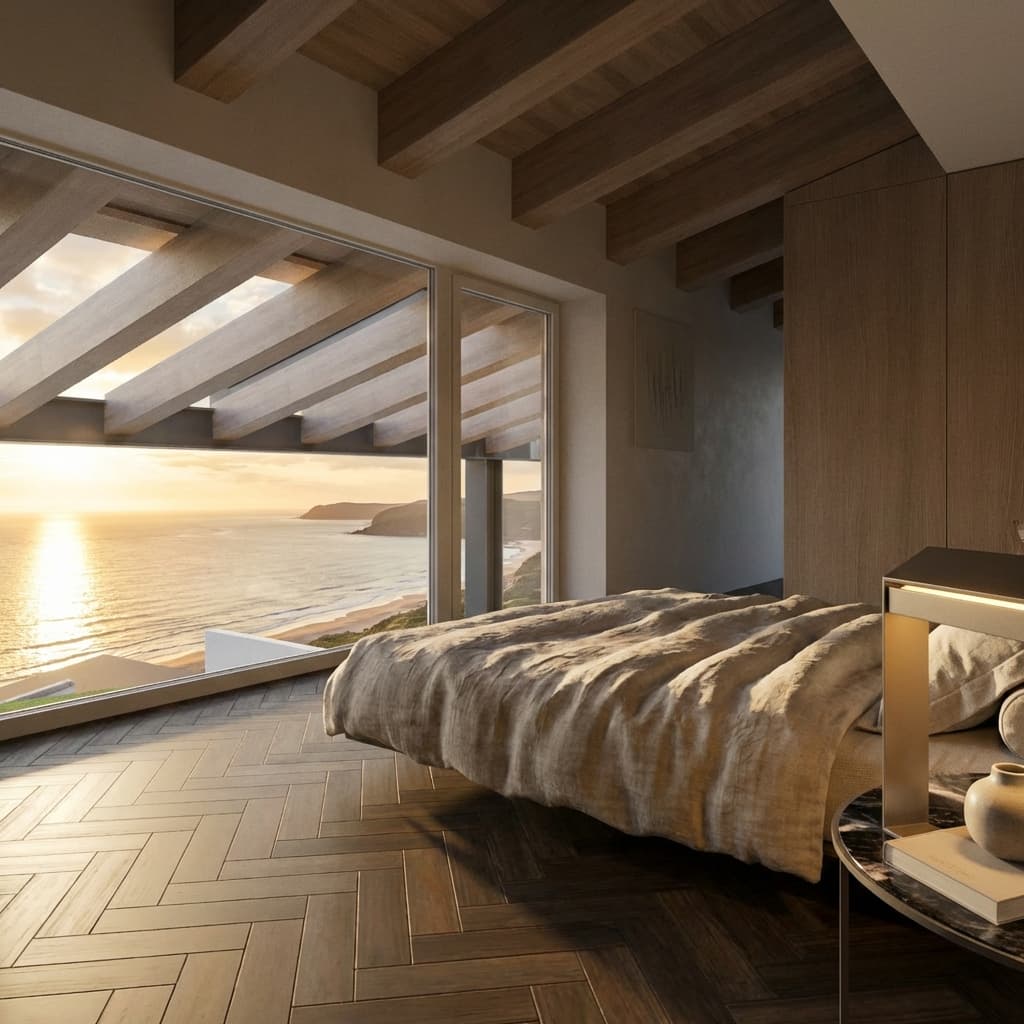
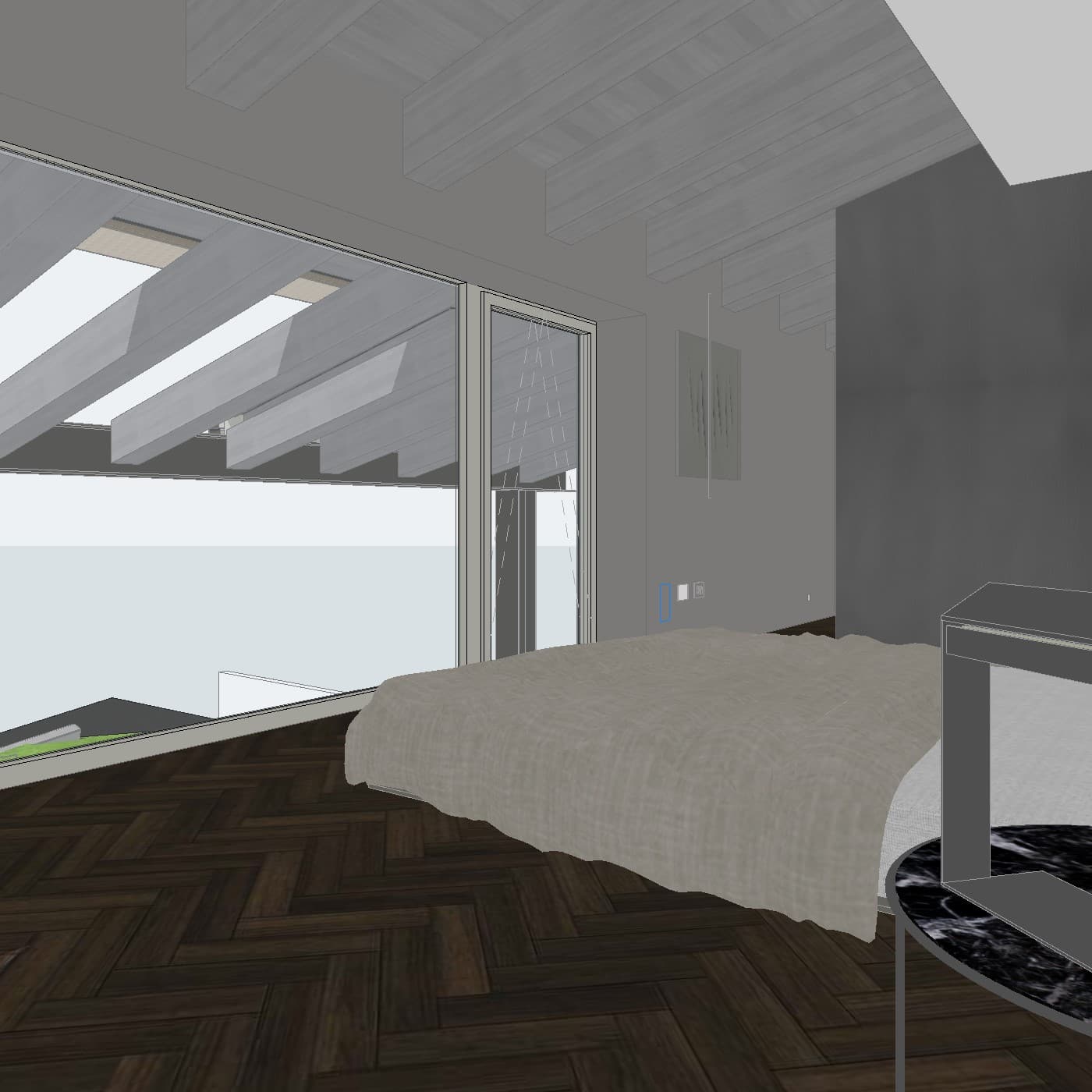
Integration and Workflow
Veras operates as a plugin, but because it is bundled with Enscape, the workflow involves the broader Enscape ecosystem. For users who already subscribe to Enscape Premium, this may feel natural. For those who don't, it introduces significant cost and additional complexity.
Linespire Reflect installs directly as an .apx or .bundle addon into Archicad's addon folder. There is no external app to switch to, no file export required, and no separate software ecosystem to manage. The entire workflow — from 3D view to photorealistic render — happens inside Archicad.
Pricing
Veras is bundled with the Enscape Premium subscription, priced at approximately $70/month. There is no standalone Veras subscription — to access Veras for Archicad, you're committing to Enscape as well.
Linespire Reflect offers a free trial with 5 render credits, no credit card required. Paid plans start at $29/month for the Pro plan, which includes 100 credits per month and supports all Archicad versions. The Studio plan at $79/month is designed for small-to-medium firms requiring higher volume.
For Archicad users who don't need Enscape's real-time rendering capabilities, the cost difference is substantial.
Platform Focus
Veras is a multi-platform tool — it supports Revit, SketchUp, Rhino, and Archicad. This breadth is useful for firms working across multiple CAD applications, but it also means Archicad is one of several supported environments rather than the primary focus.
Linespire Reflect is built exclusively for Archicad. Every aspect of the product — its workflow, integration, and development direction — is designed around how Archicad users work.
Where Veras Has an Advantage
Veras offers more stylistic flexibility through its geometry slider and prompt controls. For concept exploration — particularly in early-stage work where loose, interpretive outputs are useful — the ability to reduce geometry adherence and push toward a more atmospheric result is a genuine advantage.
If your firm already subscribes to Enscape Premium and is running Archicad 28, Veras is effectively included in what you're already paying for.
Where Linespire Reflect Has an Advantage
For Archicad users focused on client-ready, geometry-accurate photorealistic renders, Linespire Reflect is the stronger tool. The Google Gemini 3 Pro model is specifically selected for high-fidelity, realistic output that respects building form — without requiring manual adjustment of geometry adherence settings.
The pricing model is also more accessible. A solo practitioner or small firm that doesn't need a real-time renderer can start for free and scale to $29/month — without paying for a broader software bundle first.
Compatibility is a further differentiator: Linespire Reflect works across all Archicad versions, not just the most recent release.
Which Should You Choose?
Choose Veras if your firm is on Archicad 28, already subscribes to Enscape Premium, and values stylistic flexibility for early-stage concept exploration.
Choose Linespire Reflectif you want a dedicated, Archicad-native AI rendering tool that works across all Archicad versions, produces geometry-accurate photorealistic results, and doesn't require a broader software subscription to access.
For architects focused on producing fast, high-quality visualisations directly inside Archicad — without the overhead of a multi-platform rendering suite — Linespire Reflect is built precisely for that workflow.
Frequently Asked Questions
Does Linespire Reflect work on Archicad versions older than 28?
Yes. Linespire Reflect supports all Archicad versions on the Pro plan and above.
Is Veras available as a standalone product?
No. Veras is part of the Enscape Premium bundle and cannot be purchased separately.
What AI model does Linespire Reflect use?
Linespire Reflect uses Google Gemini 3 Pro (image-preview) for rendering and Imagen 4 for upscaling — not Stable Diffusion.
Can I try Linespire Reflect before committing to a paid plan?
Yes. The free trial includes 5 render credits with no credit card required.
Does Linespire Reflect work on both Windows and Mac?
Yes — it is compatible with both operating systems.