What Linespire Reflect Actually Does
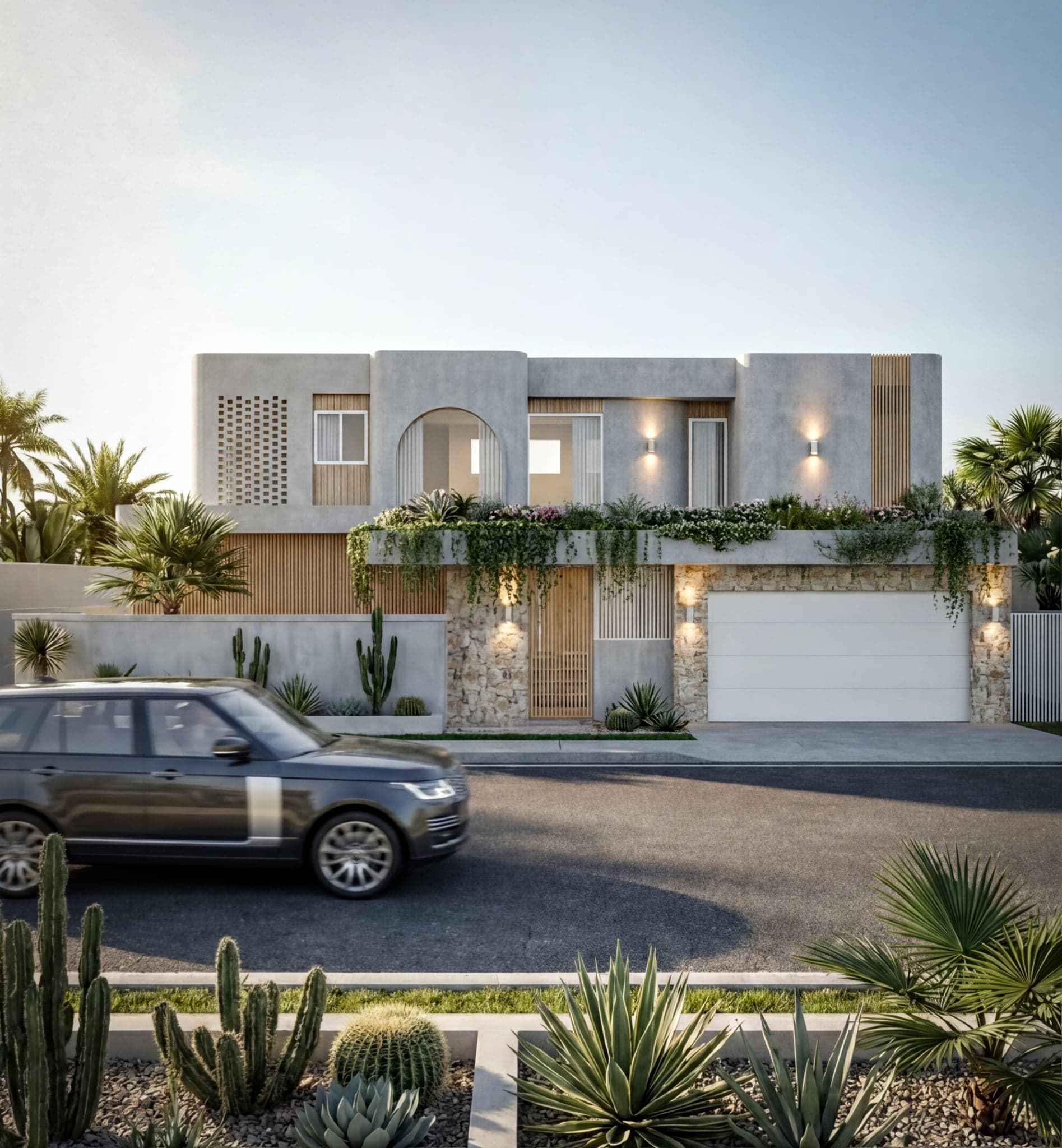
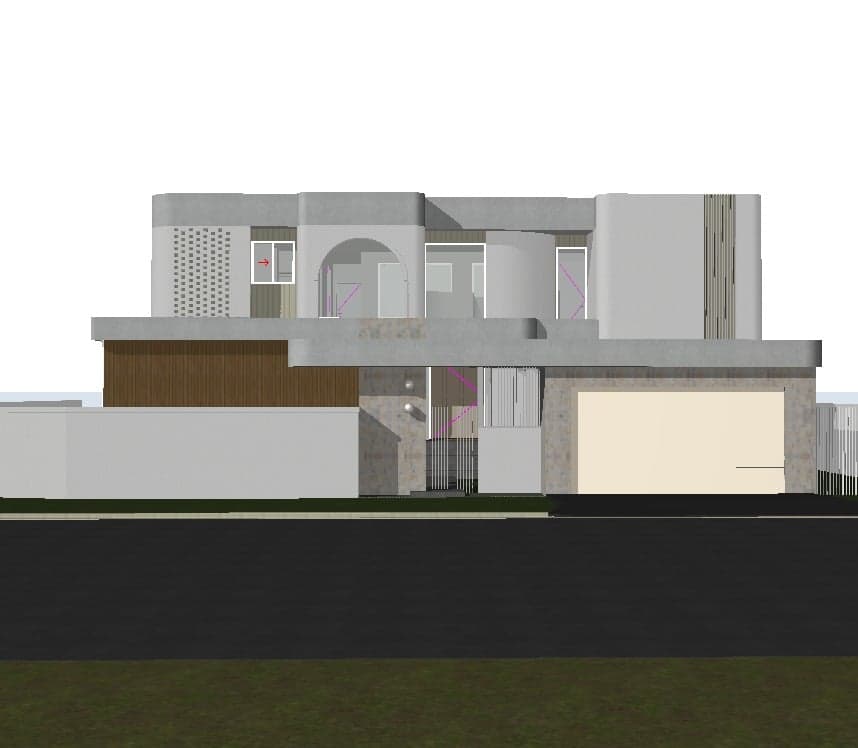
Linespire Reflect is a native Archicad addon — installed as a .apx or .bundle file directly into the Archicad addon folder. Once installed, it captures 3D views from within Archicad and sends them through an AI rendering pipeline powered by Google Gemini 3 Pro and Imagen 4 upscaling.
The result: photorealistic renders delivered in seconds, without leaving Archicad, without exporting files, and without needing a dedicated GPU or a separate application.
Users can provide a text prompt to guide the style, lighting, or atmosphere of a render, and can upload a reference image to help maintain consistency across multiple views. Output is JPG at either 1K or 4K resolution, depending on the plan.
The Strengths
Speed
The most immediate advantage is time. Traditional rendering workflows in tools like Enscape or Lumion can take minutes to hours depending on scene complexity and hardware. Linespire Reflect produces results in seconds. For concept presentations, client check-ins, or early-stage design exploration, this changes the economics of visualisation entirely.
Geometry Accuracy
AI rendering tools have an uneven reputation for respecting architectural geometry. Archicad's own built-in AI Visualiser — powered by Stable Diffusion — is known for distorting building form, producing results that can look impressive at a glance but diverge meaningfully from the actual design.
Linespire Reflect is built around geometry accuracy as a core design principle. The AI reads the 3D geometry, materials, and perspective directly from the Archicad view and is trained to respect building form. In testing, exterior massing and interior proportions hold up reliably across a range of architectural styles.
Native Archicad Integration
The workflow lives entirely inside Archicad. There is no file export step, no switching between applications, and no scene setup in a separate tool. For practitioners already working in Archicad all day, this frictionless integration is a meaningful advantage over standalone renderers.
Price
The free trial offers 5 render credits with no credit card required. The Pro plan at $29 per month is meaningfully cheaper than Enscape (from $575 per year) or Lumion (from $790 per year). For solo practitioners or small firms watching costs, the price-to-output ratio is difficult to argue against.
No Hardware Requirements
Unlike GPU-accelerated renderers such as Enscape, D5 Render, or Lumion, Linespire Reflect requires no dedicated graphics hardware. The processing happens in the cloud. This makes it accessible on lower-spec machines and laptops — an advantage in multi-person firms where not every workstation is kitted out for rendering.
The Limitations
Generation Consistency
The most significant limitation is one shared by AI image tools broadly: inherent variability between generations. Because the output is AI-generated rather than deterministically rendered, producing consistent results across multiple views of the same building takes deliberate effort. Uploading a reference image helps significantly, but users should expect some variation — particularly in materials, lighting, and surrounding environment — between renders of the same project.
This is worth understanding clearly before committing. For a single hero image or concept render, it is rarely a problem. For a full set of matched presentation images, it requires more iteration.
Less Granular Control
Linespire Reflect is not a substitute for a full rendering environment. Users who need to place specific furniture, control lighting rigs precisely, or produce highly art-directed output will find traditional renderers offer more granular control. The tool is built for speed and quality at the concept and presentation stage — not for production-quality architectural photography.
Archicad-Only
Linespire Reflect is built exclusively for Archicad, allowing for deep native integration that a multi-platform tool cannot match. For users of other software — Revit, SketchUp, Rhino, and similar — a web portal is available, though without the direct integration: those users upload an image of their 3D view rather than rendering straight from within their CAD application. The full workflow advantage is realised by Archicad users.
How It Compares
| Tool | Type | Archicad Integration | Starting Price | GPU Required |
|---|---|---|---|---|
| Linespire Reflect | AI renderer | Native addon | $0 / $29/mo | No |
| Archicad AI Visualiser | AI renderer | Native (AC28 / subscription) | Included in Collaborate sub | No |
| Veras (EvolveLAB) | AI renderer | Plugin (AC28 only) | Part of Enscape Premium | No |
| Enscape | Real-time renderer | Plugin | ~$575/year | Yes |
| Twinmotion | Real-time renderer | LiveSync (file export) | Free / paid | Yes |
| Lumion | Real-time renderer | Standalone (file export) | $790–$1,575/year | Yes |
Among the AI-specific options, Linespire Reflect's key differentiator is the underlying model. Where Archicad's built-in visualiser and Veras use Stable Diffusion-based architectures, Linespire Reflect uses Google Gemini 3 Pro — a more recent and capable image model. The geometry accuracy difference is observable in practice.
Who Is It Best For?
Linespire Reflect is best suited to:
- Archicad users on solo or small-firm setups who need fast client-ready renders without a long rendering pipeline
- Practices that produce a high volume of concept visualisations and can't afford the time cost of traditional rendering on each project
- Teams that don't have high-spec GPU workstations but still need professional-quality output
- Anyone who has been frustrated by the geometry distortion in Archicad's built-in AI Visualiser and wants a more accurate alternative
It is less suited to users who need pixel-perfect consistency across large sets of matched renders, or who require the full material and lighting control of a traditional rendering environment.
Verdict
Linespire Reflect delivers on its core promise: fast, geometry-accurate, photorealistic renders directly inside Archicad. The speed, price, and ease of workflow are genuine advantages over traditional rendering tools, and the Google Gemini 3 Pro model produces noticeably better geometry accuracy than Stable Diffusion-based alternatives in the same category.
The AI variability limitation is real and worth factoring into any workflow. But for the vast majority of Archicad practitioners — particularly those working on residential projects and needing fast visualisations for client presentations — the trade-off is favourable.
For a tool priced this accessibly, the most straightforward way to evaluate it is to try it.
Frequently Asked Questions
Is Linespire Reflect free to use?
Yes — there is a free trial that includes 5 render credits and does not require a credit card. Paid plans start at $29 per month.
Does Linespire Reflect work with all versions of Archicad?
All Archicad versions are supported on the Pro plan and above. The free trial supports one PC or Mac activation.
How is Linespire Reflect different from Archicad's built-in AI Visualiser?
Archicad's built-in AI Visualiser uses a Stable Diffusion-based model and is available in Archicad 28 on Studio and Collaborate subscriptions — it is not available on perpetual licences. It is known for distorting building geometry. Linespire Reflect uses Google Gemini 3 Pro, works across all Archicad versions on paid plans, and is specifically designed around geometry accuracy.
Can I get consistent results across multiple views of the same building?
AI generation is inherently variable, which means some variation between renders is expected. Uploading a reference image is the most effective way to maintain consistency across multiple views of the same project.
Does Linespire Reflect work on Mac and Windows?
Yes — Linespire Reflect works on both Windows and Mac.