Quick Overview
Archicad's built-in AI Visualiser is a native feature available in Archicad 28 for users on the Studio or Collaborate subscription tiers. It is not available to users on perpetual licences. It uses a Stable Diffusion-based model to generate rendered images from within the software, with some degree of style control via text prompts.
Linespire Reflect is a native Archicad addon — installed as a .apx or .bundle file — that captures 3D views from within Archicad and processes them through Google's Gemini 3 Pro image model, with Imagen 4 upscaling. It works across all Archicad versions on its paid plans, runs on both Windows and Mac, and requires no GPU hardware.
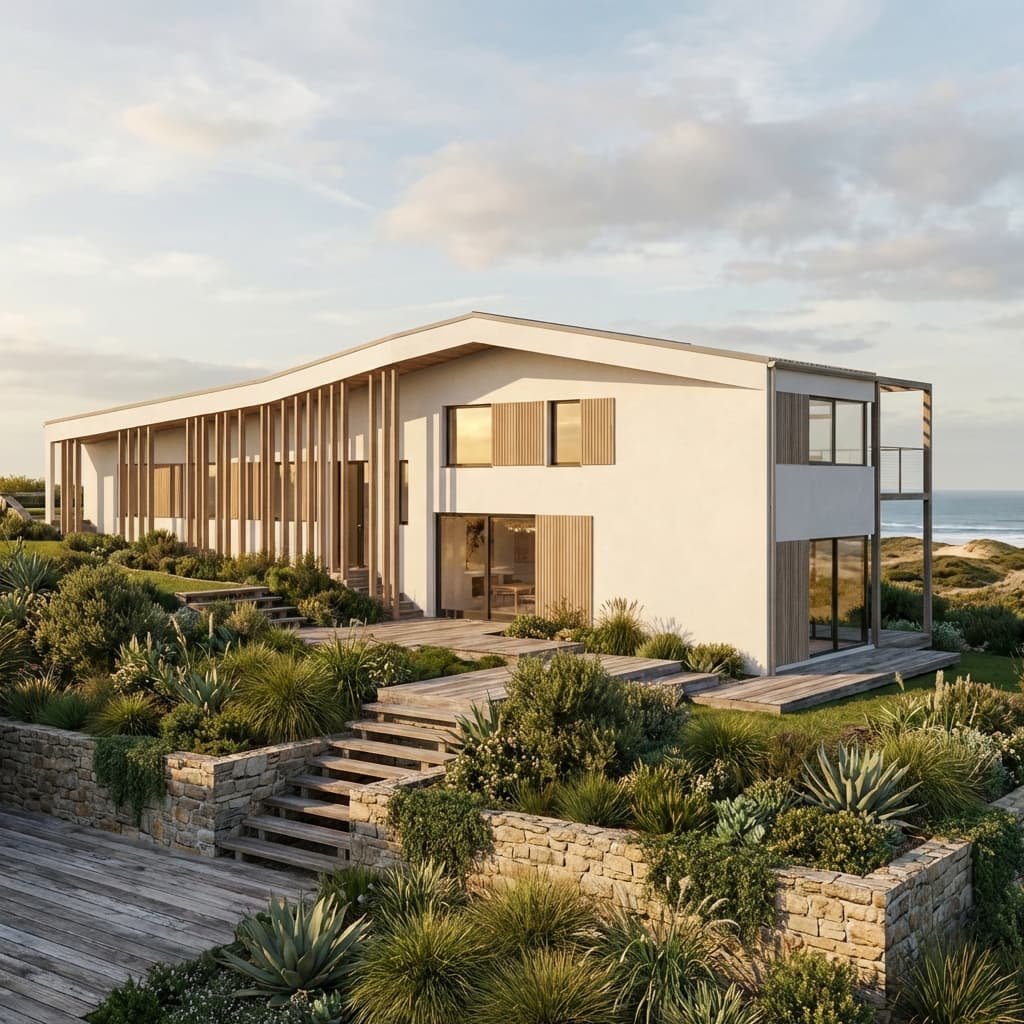
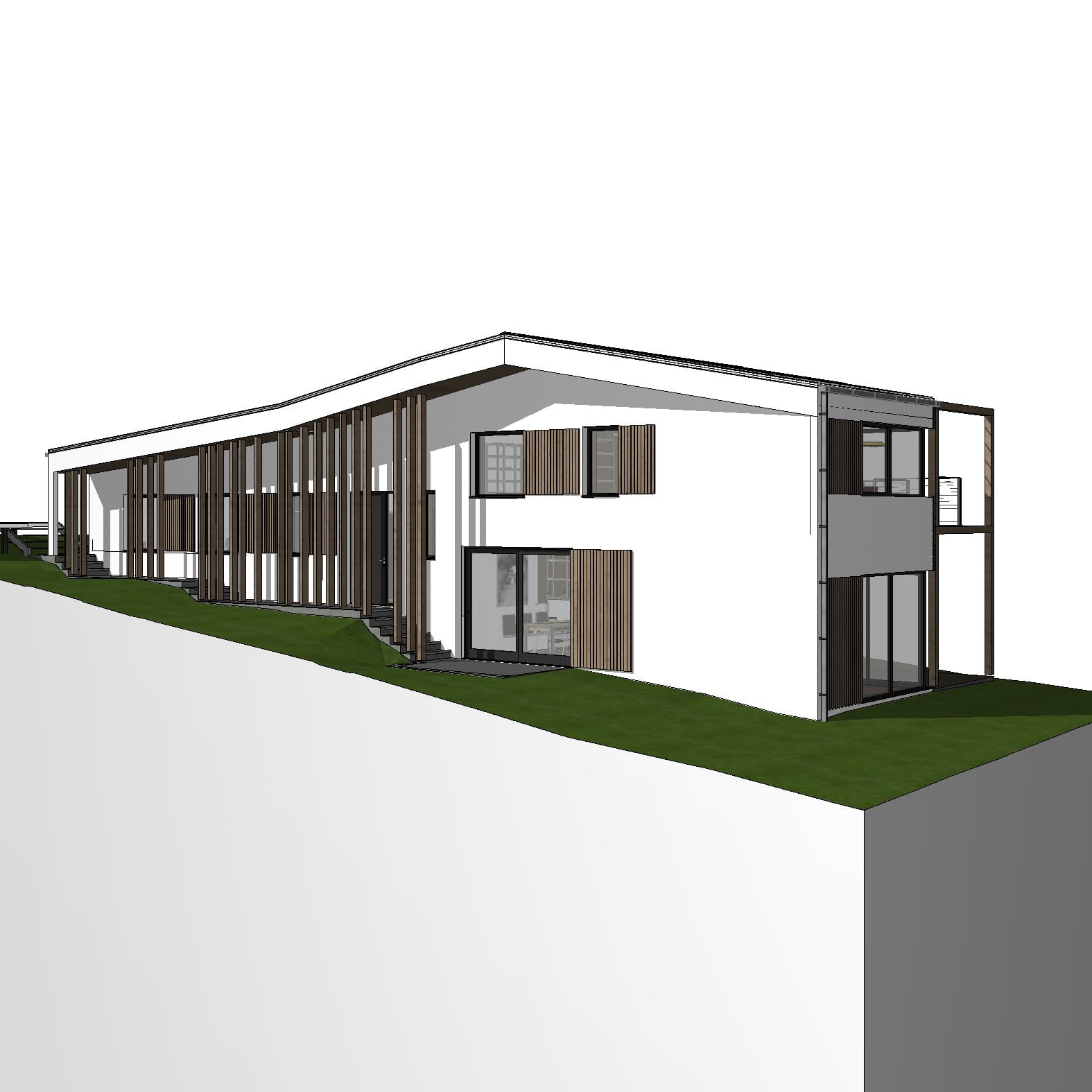
The Geometry Problem: Why It Matters
For architects, geometry fidelity is non-negotiable. A render that misrepresents a building's form — shifting rooflines, softening edges, or hallucinating structural elements — is not just aesthetically wrong, it can be professionally misleading.
Archicad's built-in AI Visualiser is known within the Archicad community for exactly this issue. The Stable Diffusion-based model it uses is optimised for creative image generation, not architectural accuracy. It tends to "interpret" geometry rather than faithfully reproduce it — smoothing over details, altering proportions, and occasionally generating elements that weren't in the original model.
Linespire Reflect takes a different approach. The AI pipeline is designed around geometry accuracy as a primary constraint — the model reads the perspective, structural lines, and form of the Archicad model and is trained to respect them in the output. The result is a render that looks photorealistic while remaining a faithful representation of the design.
This distinction is particularly important for client presentations, planning applications, and any scenario where the render will be read as a representation of the actual building.
The AI Behind Each Tool
The underlying AI model makes a significant difference to output quality, and the two tools diverge significantly here.
Archicad's built-in AI Visualiser is powered by Stable Diffusion — a capable open-source model, but one originally built for general image generation rather than architectural rendering. It has known limitations with structural accuracy and fine architectural detail.
Linespire Reflect uses Google Gemini 3 Pro for rendering and Imagen 4 for upscaling to 4K. These are among the most capable image generation models currently available, and the results in architectural contexts reflect that — producing realistic materials, lighting, and environmental context that Stable Diffusion-based tools typically struggle to match.
Compatibility and Access
One of the most significant practical limitations of Archicad's built-in AI Visualiser is its access restrictions. It is only available in Archicad 28 and above, and only for users on the Studio or Collaborate subscription tiers. Architects on perpetual licences, older versions, or lower subscription tiers cannot access it.
Linespire Reflect supports all Archicad versions on its Pro plan and above. It runs on both Windows and Mac, with no GPU requirements — the rendering is handled in the cloud. This makes it accessible to a much broader range of Archicad users, regardless of hardware or subscription tier.
Workflow Comparison
Both tools are native to Archicad, which means neither requires file exports or app-switching. That's a genuine advantage they share over traditional rendering solutions like Enscape or Twinmotion.
With Archicad's built-in AI Visualiser, users select a view and trigger a render within the existing Archicad interface. Prompt-based style guidance is limited, and iteration speed varies.
With Linespire Reflect, users capture a 3D view from within Archicad via the addon panel, optionally add a text prompt and a reference image for style or mood guidance, and receive a photorealistic render in seconds. Renders are produced at 1K or 4K resolution, ready for client presentation without post-processing.
One consideration worth noting: AI-generated renders are inherently variable, and Linespire Reflect is no exception. Consistency across multiple views of the same building takes intentional effort. Uploading a reference image when generating is the most effective way to maintain a consistent look across a project.
Pricing Comparison
Archicad's AI Visualiser is included within the Studio and Collaborate subscription tiers. For architects already on one of those tiers, it adds no direct cost. For those on perpetual licences or lower tiers, accessing it requires an upgrade.
Linespire Reflect has a transparent credit-based pricing model:
- Free Trial: 5 render credits, no credit card required
- Pro: $29/month — 100 credits/month, 2 activations, all Archicad versions
- Studio: $79/month — 400 credits/month, 5 activations (suited to small-medium firms)
- Enterprise: $199/month — 1,200 credits/month, 10 activations
One credit equals one image generation. Credits do not roll over between months. The free trial allows any Archicad user to test the output quality before committing to a plan.
Side-by-Side Summary
Geometry accuracy: Linespire Reflect is the stronger performer. Archicad's built-in visualiser is known for distorting geometry — a significant limitation for professional use.
AI model quality: Linespire Reflect uses Google Gemini 3 Pro and Imagen 4. The built-in visualiser uses Stable Diffusion.
Archicad version support: Linespire Reflect supports all versions. The built-in visualiser is Archicad 28 and above only.
Subscription requirement: The built-in visualiser requires a Studio or Collaborate subscription and is not available on perpetual licences. Linespire Reflect starts free with a 5-credit trial.
Hardware: Neither tool requires a GPU — both are cloud-processed. Both run on Windows and Mac.
Output resolution: Linespire Reflect outputs at 1K or 4K. The built-in visualiser output resolution varies.
Which Should You Use?
For Archicad users who need geometry-accurate, client-ready renders — and who want to produce them quickly without hardware constraints — Linespire Reflect is the more capable option. The combination of Google's latest image AI, geometry-first design, and broad Archicad version support gives it a clear advantage over the built-in visualiser on output quality and accessibility.
Archicad's built-in AI Visualiser may suit users already on the Studio or Collaborate tier in Archicad 28 who want a quick concept image without any additional setup. But for anyone on a perpetual licence, an older Archicad version, or who is prioritising render quality and geometry fidelity, it falls short of what dedicated AI rendering tools can now deliver.
Frequently Asked Questions
Does Linespire Reflect work with older versions of Archicad?
Yes. Linespire Reflect supports all Archicad versions. Archicad's built-in AI Visualiser is only available in Archicad 28, and only on Studio or Collaborate subscriptions.
Do I need a GPU to use either tool?
No. Both tools process renders in the cloud, so no GPU hardware is required on the user's machine.
Why does Archicad's built-in AI Visualiser distort geometry?
The built-in visualiser uses a Stable Diffusion-based model, which is a general-purpose image generation system. These models are optimised for visual creativity rather than geometric fidelity, which is why they tend to alter or interpret architectural form rather than reproduce it accurately.
Can I try Linespire Reflect before paying?
Yes. Linespire Reflect offers a free trial with 5 render credits — no credit card required. It's the fastest way to assess the output quality on real Archicad models.
Is Linespire Reflect consistent across multiple views?
AI renders are inherently variable. Linespire Reflect produces consistent geometry, but style, lighting, and material rendering can vary between generations. Using a reference image when generating is the most effective way to maintain visual consistency across a project.