Why Interiors Suit AI Rendering
Traditional interior rendering is slow work. Every surface needs a material, every fitting needs a light, and soft furnishings, plants, and styling all have to be modelled or sourced before a single frame looks convincing. AI image models are particularly good at exactly those things: believable materials, soft natural light, and the lived-in detail that makes a room feel real.
The catch is that AI renders what the camera sees. A well-prepared Archicad view gets you most of the way; a rushed one makes the AI guess.
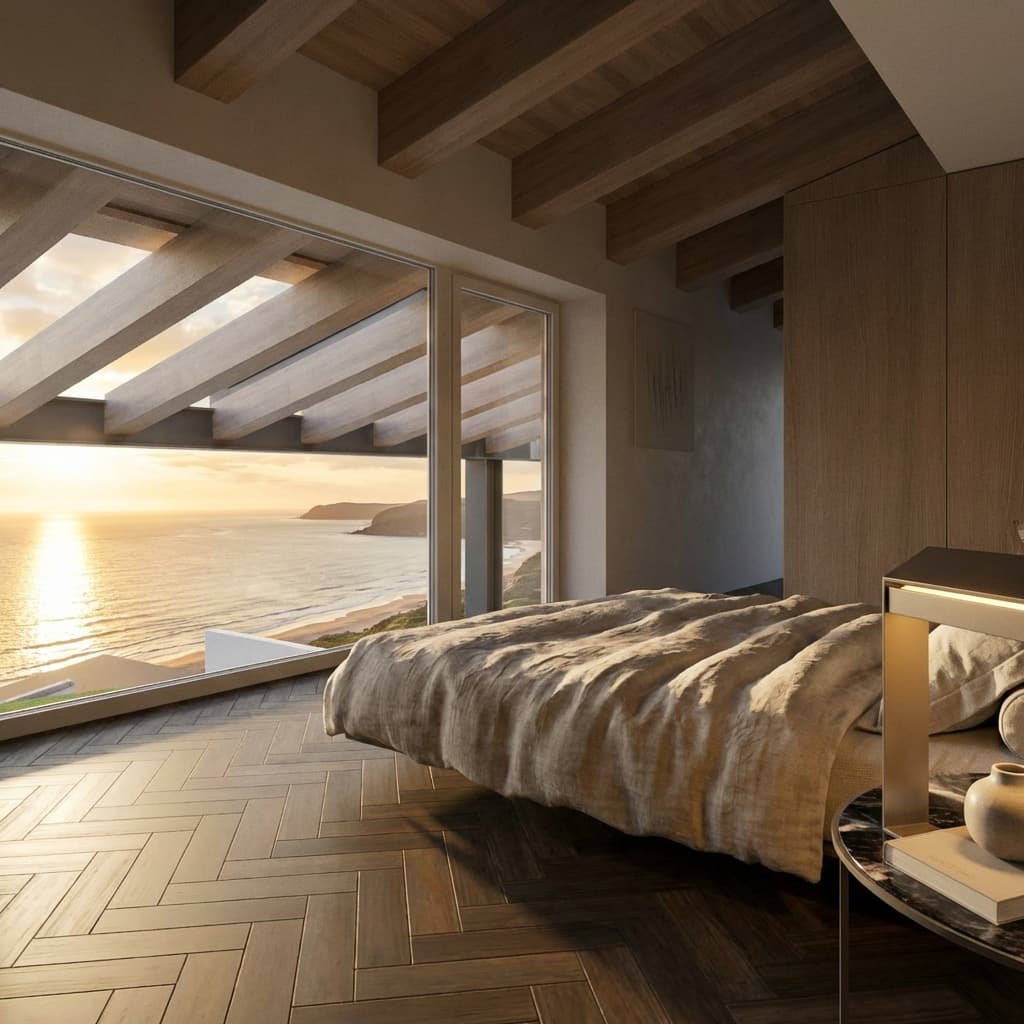
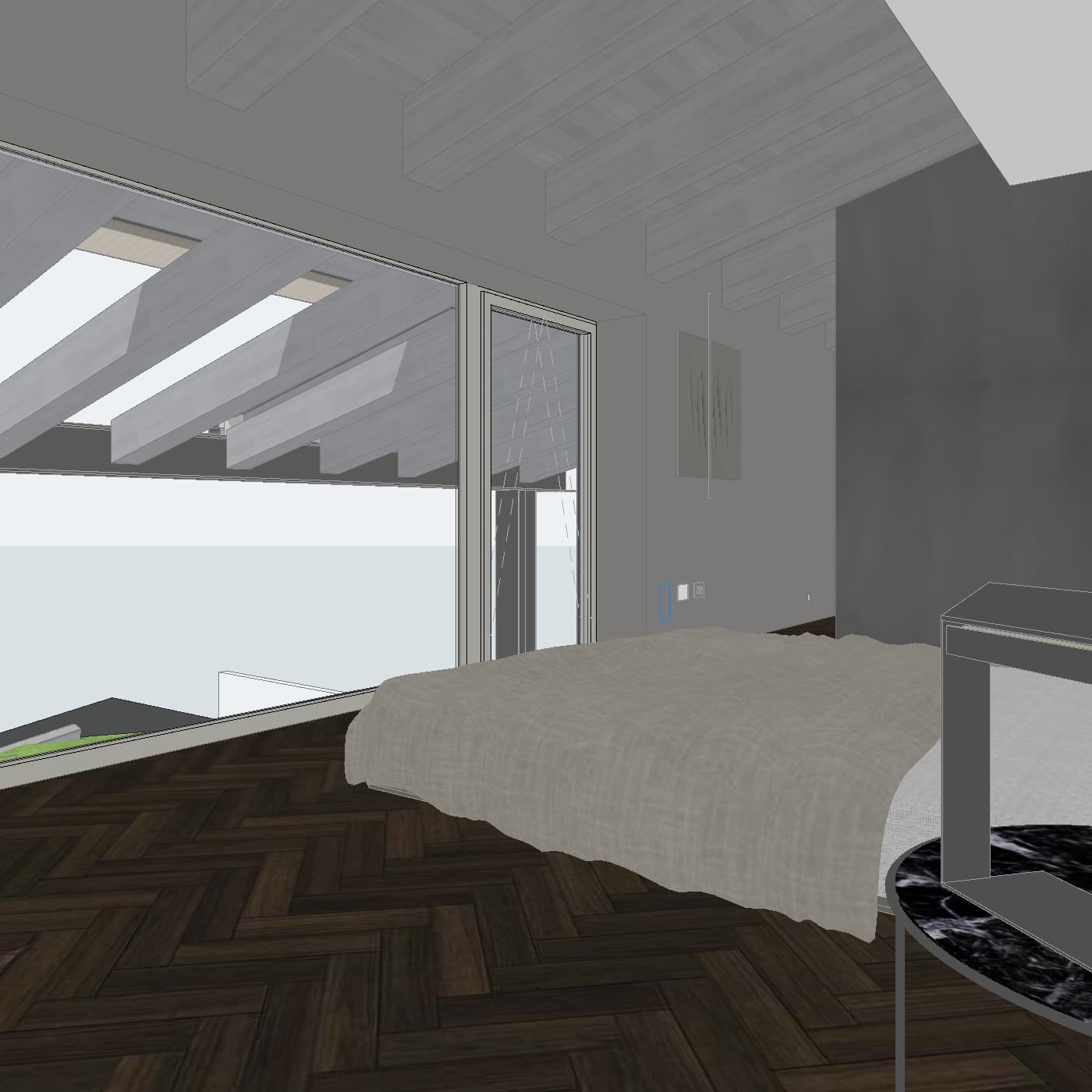
1. Set Up the Camera
- Eye level, slightly low. Place the camera at about 1.2 to 1.5 metres. It grounds the viewer in the room rather than looking down on it.
- Shoot towards the light. Framing a window or opening in the shot gives the AI a natural light source to work with and adds depth.
- Mind the lens. A moderately wide view shows the space, but extreme wide angles stretch furniture and walls at the edges.
- Frame a corner. Two walls meeting at an angle read as a real room far better than a single flat wall.
2. Prepare the Model
- Turn transparency on. If glass is opaque grey in your 3D style, the AI can't see the view outside. Make sure transparency is enabled before capturing.
- Give surfaces distinct materials. The AI uses colour and texture in the view as clues. A floor, a wall, and a benchtop that are all the same grey give it little to work with.
- Block in key furniture. Simple placeholder furniture tells the AI where things belong and at what scale, which keeps the layout faithful to your design.
- Hide clutter. Section markers, dimension lines, and stray construction elements can end up rendered as objects.
Our best practices guide covers capture settings in more detail.
3. Describe the Room
A short, specific prompt beats a long one. Describe the materials, mood, and light you want: for example, "oak floor, white plaster walls, linen sofa, warm late-afternoon light". Name the time of day rather than adjectives like "beautiful" or "stunning", which tell the model little.
4. Use a Reference Image for Style
A reference image is the most reliable way to get a specific look, whether that's a client's mood board, a material palette, or a previous render you liked. It also keeps a consistent style when you render several rooms of the same project, since AI renders naturally vary between generations.
5. Iterate, Then Upscale
Render at standard resolution while you refine the camera, prompt, and reference, then upscale the version you like to 4K for presentation. In Linespire Reflecteach render is one credit and every version is kept in your render history, so it's cheap to try a few options.
6. Bring It to Life
Interiors make particularly good short videos. With Animate, you can add a slow push-in or orbit with soft, shifting light to a single render, or use the empty to furnished transition to show a bare room filling with furniture and finishes, a compelling way to explain a fit-out to a client. Our AI animation guide covers how to get good results.
A Note on Accuracy
AI can occasionally add or change small objects, particularly decor and fittings. For design-critical views, check the render against your model before it goes to a client, and favour gentle prompts over dramatic ones when accuracy matters more than atmosphere.
Frequently Asked Questions
Can AI render Archicad interiors as well as exteriors?
Yes. AI image models handle interiors well, especially materials and natural light. The most important thing is a clean, well-framed 3D view: the AI works from what the camera sees.
What camera height should I use for an interior render?
Around 1.2 to 1.5 metres. It grounds the viewer in the room and makes the space feel accessible, rather than looking down on it.
Why do my windows look solid grey in AI renders?
If glass is opaque in your Archicad 3D style, the AI can't see the view outside. Turn transparency on in the 3D style before capturing.
Can I keep a consistent interior style across several rooms?
Use the same reference image and a similar prompt for each view. AI renders vary between generations, and a reference image is the most effective way to keep materials and mood consistent.